What is Ransomware? Protect Your Business
Ransomware is one of the most damaging cyber threats facing Belgian businesses today. This malicious software encrypts your files and demands payment for their release. Understanding how ransomware works and how to protect against it is essential for every business owner.
What is Ransomware?
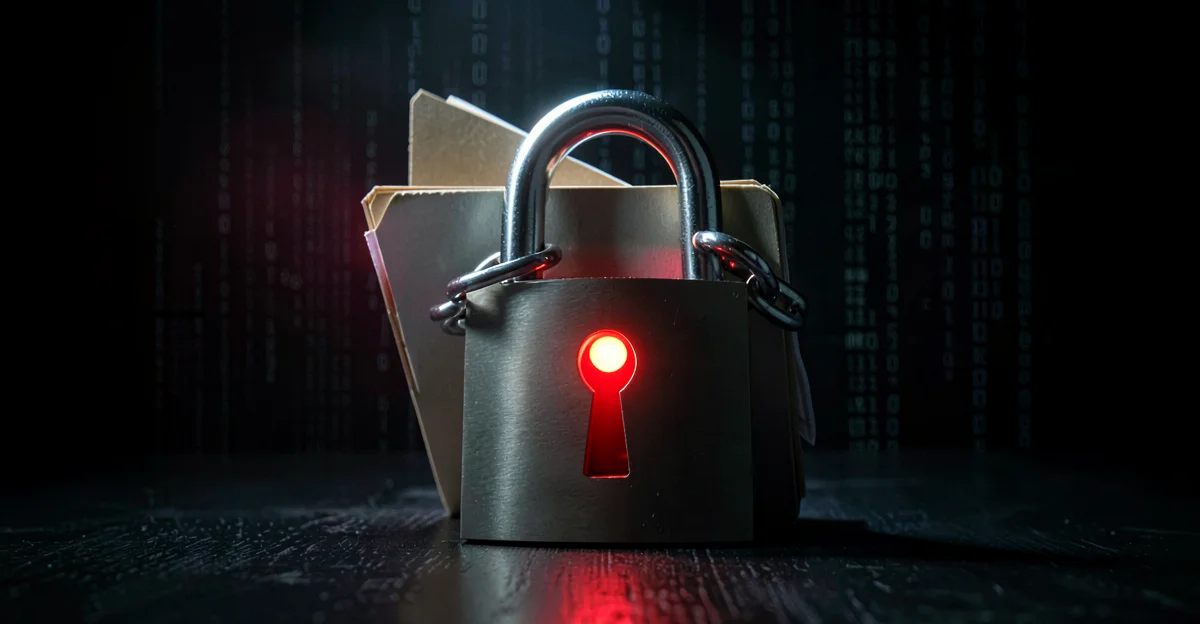
Ransomware is a type of malicious software (malware) that encrypts files on your computer or network, making them inaccessible. The attackers then demand a ransom payment—typically in cryptocurrency—in exchange for the decryption key to unlock your files.
Unlike other malware that might steal data quietly, ransomware announces itself loudly. You'll see a ransom note on your screen demanding payment within a deadline, often threatening to delete your files or publish sensitive data if you don't pay. Most ransomware enters through phishing emails, making email security and employee training critical defenses. Having a solid backup strategy is your last line of defense.
How Does Ransomware Spread?
Ransomware can infect your systems through several common methods:
Phishing emails
The most common entry point. Employees click malicious links or open infected attachments disguised as invoices, delivery notices, or urgent requests.
Bought infostealer credentials
The 2026 pattern: ransomware operators do not earn the front door, they buy it. Hudson Rock data on the APT73 / Bashe leak site (141 victims since April 2024, including Belgian victims Van Heyghen Staal and ISoSL listed April 27, 2026) shows ~44% of APT73 victims had prior infostealer infections — credentials harvested from a personal Chrome profile months earlier and resold on a forum like the LeakBase market that Belgium and Europol dismantled in March 2026 (142,000 users).
Malicious downloads
Software downloaded from untrusted sources, cracked software, or fake updates that bundle ransomware with legitimate-looking programs.
Vulnerable software
Unpatched operating systems and applications with known security flaws that attackers exploit to gain access.
Remote Desktop Protocol (RDP)
Exposed RDP services with weak passwords allow attackers to log in directly and deploy ransomware.
Infected websites
Drive-by downloads from compromised websites that exploit browser vulnerabilities.
Types of Ransomware Attacks
Ransomware has evolved into several variants, each with different tactics:
Crypto ransomware
Encrypts your files while leaving the system functional. Most common type. You can still use your computer but cannot access your data.
Locker ransomware
Locks you out of your entire device. You cannot access any functions until the ransom is paid. Less common but more disruptive.
Double extortion
Attackers steal your data before encrypting it. They threaten to publish sensitive information if you don't pay, even if you restore from backups.
Triple extortion
Combines data theft, encryption, and DDoS attacks or threatens to contact your customers and partners directly.
Beyond Ransomware: Wiper Attacks
Not all destructive malware asks for money. Wiper attacks destroy data permanently with no ransom demand and no decryption key — the goal is pure destruction. These attacks are often geopolitically motivated, carried out by state-sponsored groups to cause maximum disruption.
In March 2026, the Iranian Handala group carried out the Stryker attack, using Microsoft Intune — a legitimate mobile device management (MDM) platform — to remotely wipe over 200,000 devices across 79 countries. This was not a zero-day exploit. The attackers compromised admin accounts and weaponized a tool designed for IT administrators, turning its built-in remote wipe capability against the organizations it was meant to manage.
The Stryker incident highlights a critical lesson: MDM tools, cloud admin consoles, and remote management platforms are high-value targets precisely because they have legitimate destructive capabilities like remote wipe. Protect admin accounts with strong MFA, restrict privileged access to dedicated workstations, and review who has access regularly. If you suspect a breach involving management tools, your incident response plan must include immediately revoking admin sessions and rotating credentials.
The Rise of Data Exfiltration-Only Attacks
A major shift in 2024-2025: many ransomware groups now skip encryption entirely. They steal your data and threaten to publish it—no decryption key needed, no recovery possible through backups alone.
Why attackers are shifting tactics
Backups beat encryption
Organizations with good backups can recover from encryption. But they can't "un-steal" data that's already been exfiltrated.
Faster and quieter
Copying files is less detectable than encrypting them. Attackers can exfiltrate gigabytes before triggering alerts.
Regulatory pressure
GDPR and NIS2 require breach notification. The threat of regulatory fines and reputational damage increases payment pressure.
Easier to execute
No need to maintain decryption infrastructure. Less technical complexity for attackers.
Recent exfiltration-only attacks
Clop MOVEit Campaign (2023-2025)
Exploited file transfer vulnerabilities to steal data from hundreds of organizations. No encryption—pure data theft and extortion.
ESA Breach (2025)
Attackers exfiltrated sensitive space program data without deploying ransomware. Data published when ransom wasn't paid.
ALPHV/BlackCat Shift
Major ransomware group increasingly skipping encryption, focusing on data theft to pressure victims.
Dragonforce + Fountain Belgium (April 2026)
Dragonforce — a Malaysia-based ransomware cartel with 363+ victims and a white-label affiliate model — hit Fountain, a publicly-listed Belgian workplace services company. Data was exfiltrated. No sector is too small or too ordinary to target.
TheGentlemen + Anderlues (April 20, 2026)
On April 20, 2026 the municipality of Anderlues (Hainaut, around 12,000 residents) appeared on the TheGentlemen ransomware leak site. The incident was confirmed to RTBF. Checkpoint Research published a full DFIR writeup of TheGentlemen in April 2026, including the SystemBC backdoor the group chains with. This case fits a clear 2026 pattern: small and mid-size Belgian communes are a preferred target because IT staff and budget are limited while public-facing services cannot simply go offline.
SafePay + ETTP (May 6, 2026)
SafePay added ETTP, a Belgian technology consulting and training firm (ettp.be), to its leak site on May 6, 2026. SafePay explicitly disavows the ransomware-as-a-service model — every operation is run in-house — and explicitly targets small and mid-sized businesses, MSPs and organisations with downstream partner networks across the United States and Western Europe. Over 400 claimed victims since the group emerged in September 2024. ETTP is the fourth named Belgian victim in five weeks: Fountain (DragonForce, week 15), Anderlues (TheGentlemen, week 17), Van Heyghen Staal and ISoSL (APT73, week 18), now ETTP. The cadence is roughly one named Belgian victim per week, mostly SMEs and regional public bodies — not nation-state-grade targets.
Protecting against data exfiltration
Know where your sensitive data lives. You can't protect what you don't know about.
Watch for unusual outbound traffic. Large data transfers to unknown destinations are red flags.
Tools that detect and block sensitive data leaving your network via email, cloud uploads, or USB drives.
Modern security tools that detect suspicious file access patterns and data staging.
Limit who can access sensitive data. Principle of least privilege reduces what attackers can steal.
If data is encrypted on your systems, stolen files are useless without the keys.
Real-World Impact on Belgian SMEs
Ransomware attacks on Belgian businesses have increased dramatically. Small and medium enterprises are prime targets because they often lack dedicated security resources while still holding valuable data.
- Complete business standstill for days or weeks
- Loss of customer trust and reputation damage
- Regulatory fines under GDPR for data breaches
- Recovery costs far exceeding the ransom demand
- Permanent data loss if backups are also encrypted
- Legal liability if customer data is exposed
How to Prevent Ransomware
Prevention is far more effective than trying to recover after an attack. Here are the essential measures:
Follow the 3-2-1 backup rule
Keep 3 copies of your data, on 2 different types of media, with 1 copy stored offline or offsite. Test your backups regularly.
Keep software updated
Apply security patches promptly. Most ransomware exploits known vulnerabilities that have already been patched.
Implement email security
Use email filtering, block dangerous attachments, and enable multi-factor authentication on all email accounts.
Train your employees
Regular security awareness training helps employees recognize phishing emails and suspicious behavior.
Use endpoint protection
Modern antivirus with ransomware-specific protection can detect and block many attacks before encryption begins.
Segment your network
Limit access between systems so ransomware cannot spread easily across your entire network.
The 3-2-1 Backup Rule
The 3-2-1 backup rule is your best defense against ransomware. It ensures you can recover even if attackers encrypt your primary systems:
Three copies
Keep at least three copies of your important data—your working copy plus two backups.
Two media types
Store backups on two different types of storage (e.g., local hard drive and cloud storage) to protect against hardware failure.
One offsite copy
Keep one backup completely disconnected from your network (offline) or at a different location. This is crucial because ransomware often targets connected backups.
What to Do If Infected
If you discover ransomware on your systems, act quickly but carefully:
Isolate immediately
Disconnect infected devices from the network to prevent spread. Unplug network cables and disable Wi-Fi.
Don't pay the ransom
Payment doesn't guarantee you'll get your files back and funds criminal operations. Many victims who pay are attacked again.
Report the attack
Contact the police and report to the CCB (Centre for Cybersecurity Belgium). Under NIS2, significant incidents must be reported within 24 hours.
Identify the variant
Determine which ransomware you're dealing with. Free decryption tools exist for some variants (check nomoreransom.org).
Restore from backups
Clean infected systems completely and restore data from your offline backups. Verify backups are not infected before restoring.
Investigate the cause
Understand how attackers got in to prevent future attacks. Check email logs, user activity, and system vulnerabilities.
Incident Reporting Under NIS2
Under the NIS2 directive, organizations in essential and important sectors must report significant cybersecurity incidents to authorities:
How Easy Cyber Protection Helps
Frequently Asked Questions
Should I pay the ransom?
No. Paying the ransom doesn't guarantee you'll get your files back—many victims receive nothing after paying. It also funds criminal organizations and marks you as a target for future attacks. Focus on prevention and maintaining good backups instead.
How does ransomware infect my computer?
The most common method is phishing emails with malicious attachments or links. Other methods include downloading infected software, visiting compromised websites, exploiting unpatched software vulnerabilities, or through exposed remote desktop services with weak passwords.
Can antivirus stop ransomware?
Modern endpoint protection software can detect and block many ransomware variants, but no solution is 100% effective. Attackers constantly create new variants to evade detection. That's why a layered defense—antivirus plus backups, training, and updates—is essential.
What is the 3-2-1 backup rule?
The 3-2-1 rule means keeping 3 copies of your data, on 2 different types of storage media, with 1 copy stored offline or offsite. This ensures you can recover even if ransomware encrypts your main systems and any connected backups.
Do I need to report a ransomware attack?
Under NIS2, organizations in essential and important sectors must report significant cybersecurity incidents to the CCB within 24 hours. Even if NIS2 doesn't apply to you directly, reporting to police and the CCB helps track criminal activity and may provide assistance with recovery.
Related Articles
Sources
- No More Ransom Project — Free decryption tools and prevention advice
- Centre for Cybersecurity Belgium (CCB) — Belgian national cybersecurity authority
- ENISA Incident Response — EU Agency for Cybersecurity guidance
- CISA Stop Ransomware — US Cybersecurity and Infrastructure Security Agency resources