Roadmap
Your prioritised list of compliance actions — grouped by effort so you always know what to tackle next.
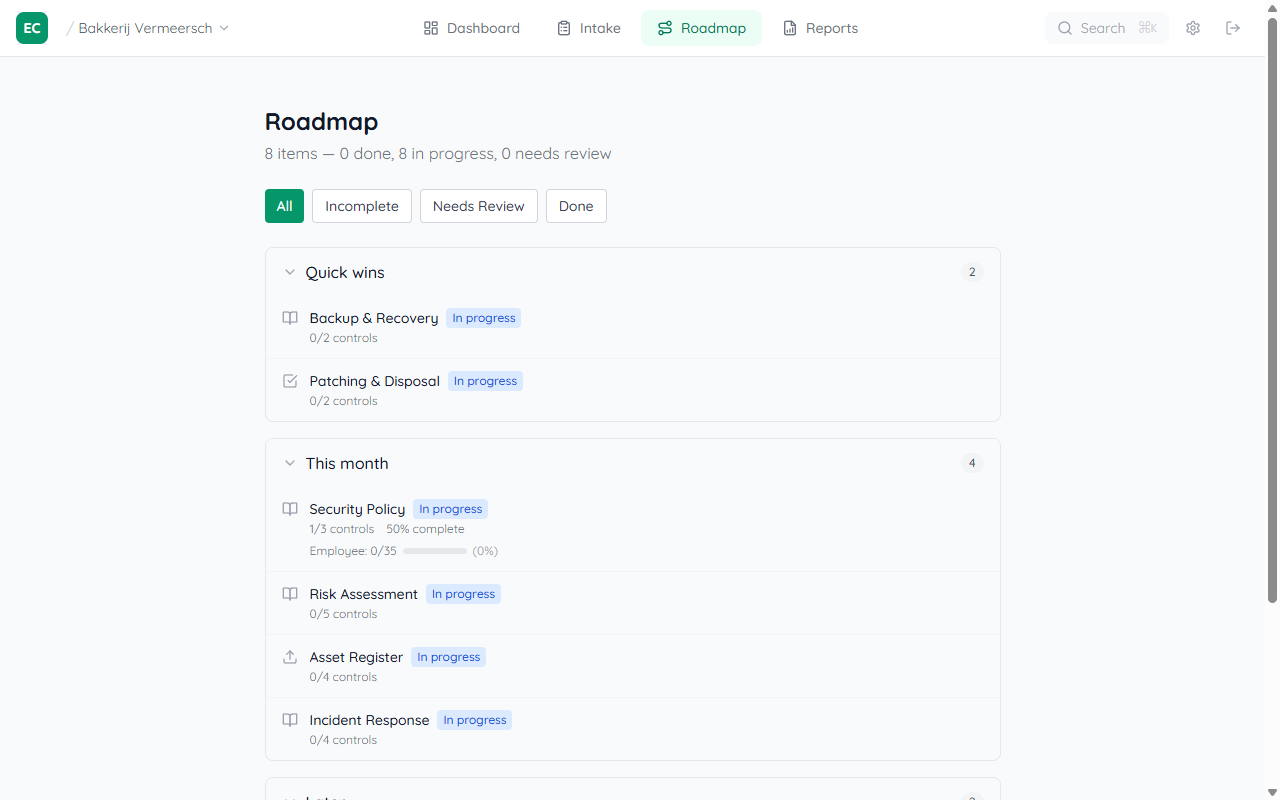
Roadmap overview
The Roadmap tab lists all compliance items grouped into three effort buckets: Quick wins (~15 min), This month (~30 min), and Later (~1 hr). Each item shows its status (Not started / In progress / Needs review / Done) and the number of controls it resolves.
Use the filter buttons — All / Incomplete / Needs Review / Done — to focus on what still needs attention.
Working an item
Click any item to open its detail page. You'll see the item type (Policy / Procedure / Checklist), estimated effort, a description, and which controls it addresses. A Guidance button opens contextual help. Click Open editor to start filling in the associated document.
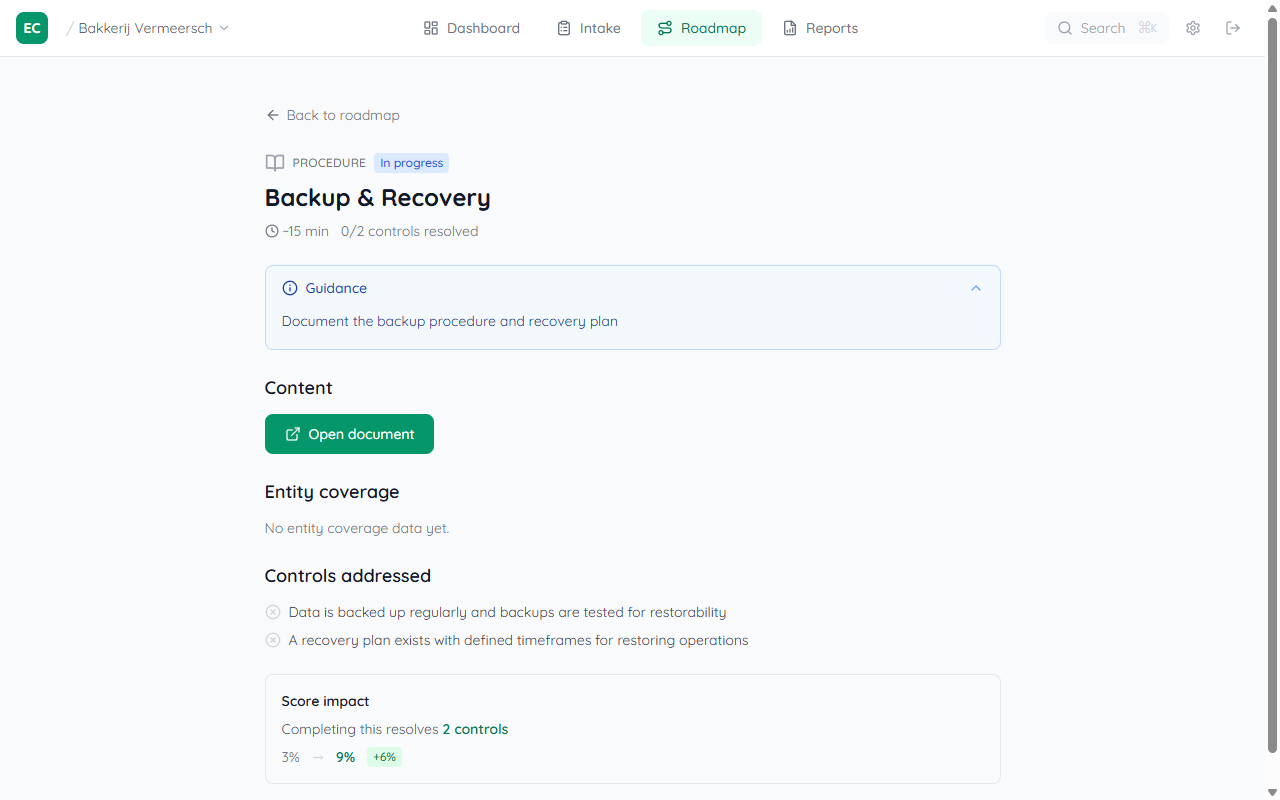
Status updates automatically as you complete evidence in the associated document or checklist.
Tip: Start from the Dashboard
The Dashboard always shows the highest-priority Next up card. Click it to jump straight to the most impactful action without opening the Roadmap.