Intake: Assets, Assessment & Gaps
The Intake tab is where you build the foundation of your compliance picture — register your assets, answer scoped questions, and surface gaps.
Three sub-tabs
- Assets — Register devices, employees, applications, and other entities
- Assessment — Answer Yes/No/Partially for each control area
- Gaps — See where answers diverge by group
Assets tab
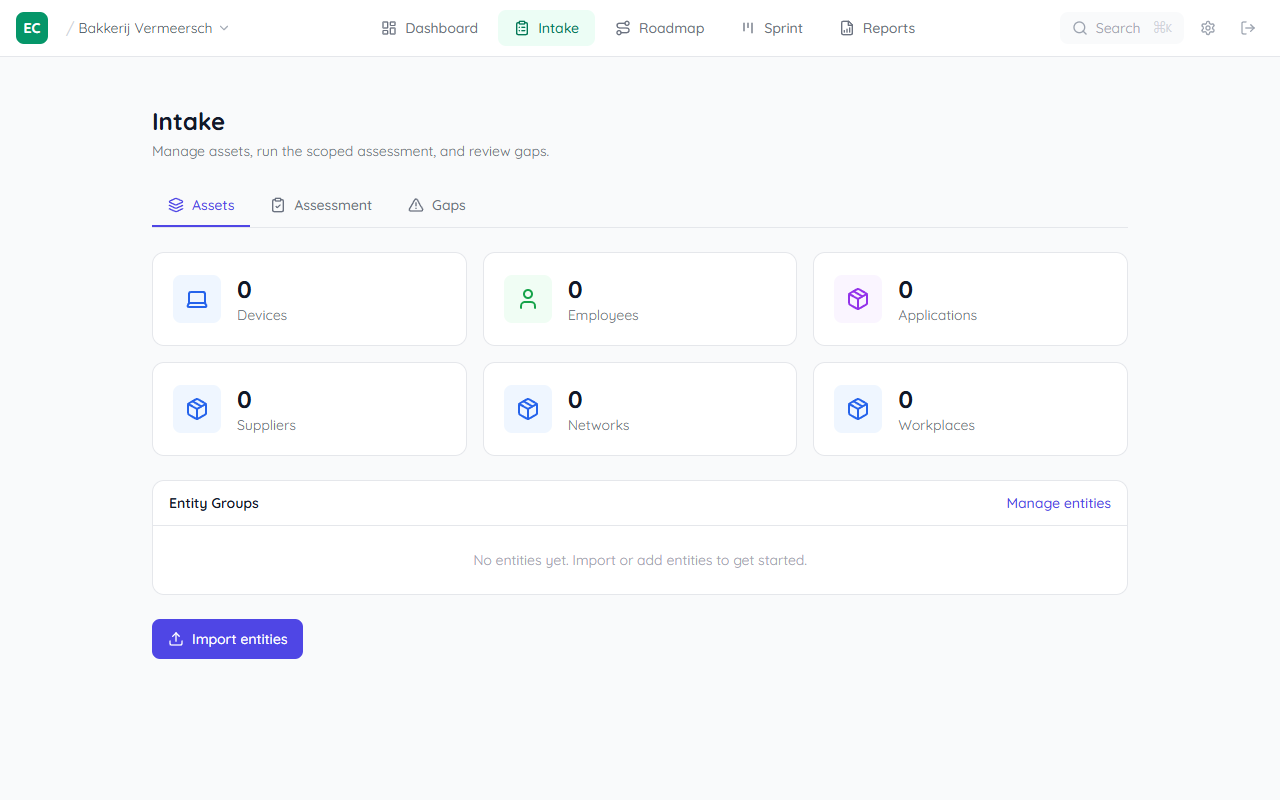
The Assets tab shows entity counts for Devices, Employees, Applications, Suppliers, Networks, and Workplaces. Click Import entities to bulk-import via CSV, or Manage entities to view and add individually.
See the full guide: Importing entities via CSV →
Assessment tab
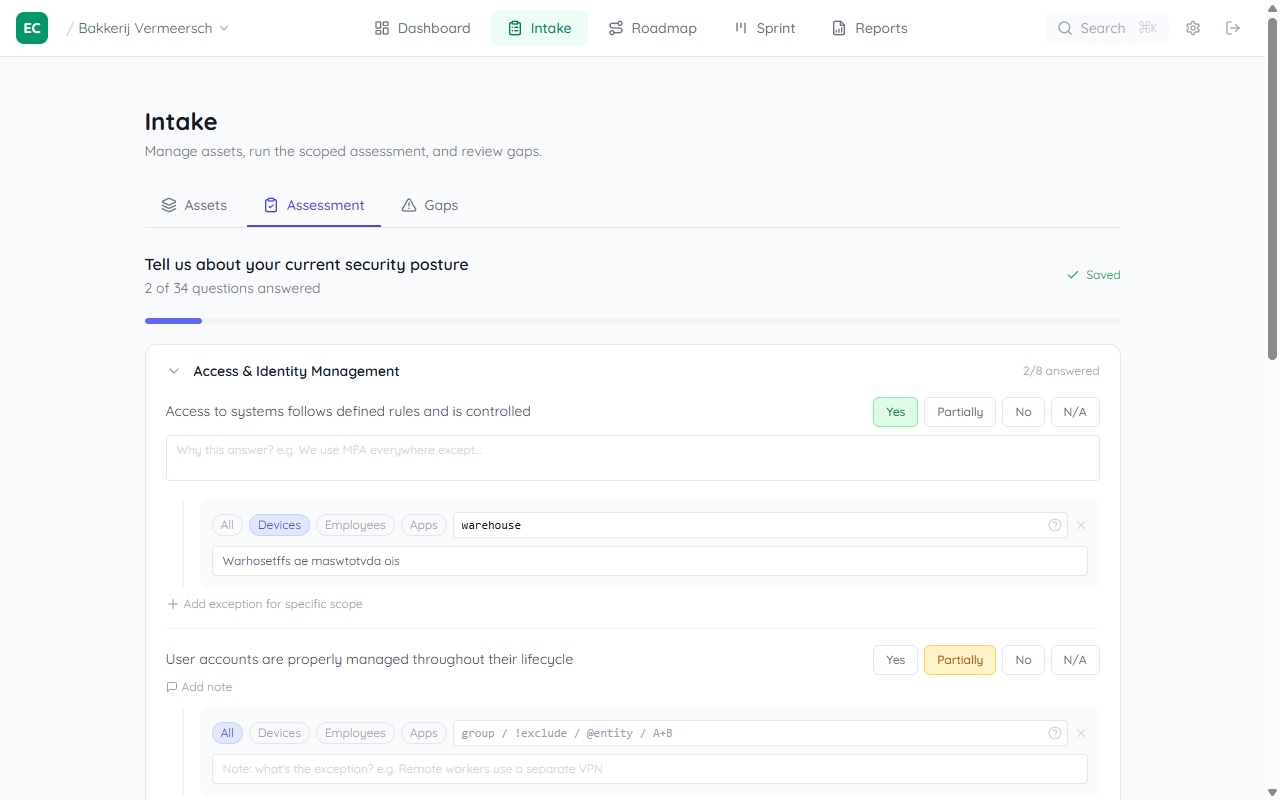
The Assessment tab presents all control questions grouped by area (Access & Identity, Security Monitoring, Risk Assessment, etc.). For each question, select Yes, Partially, No, or N/A. The total answered out of 34 is shown at the top.
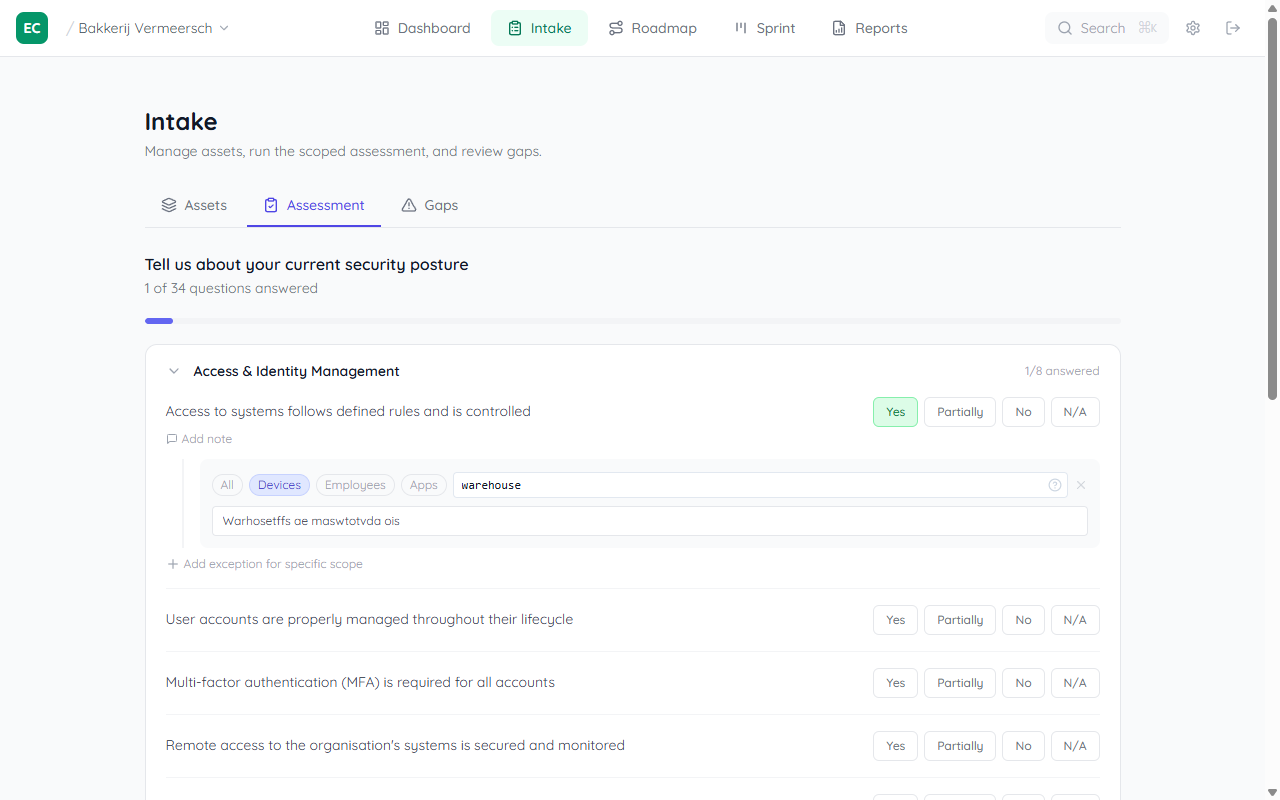
Answers are saved instantly. You can return and update them at any time as the organisation's posture improves.
Partially requires a scope
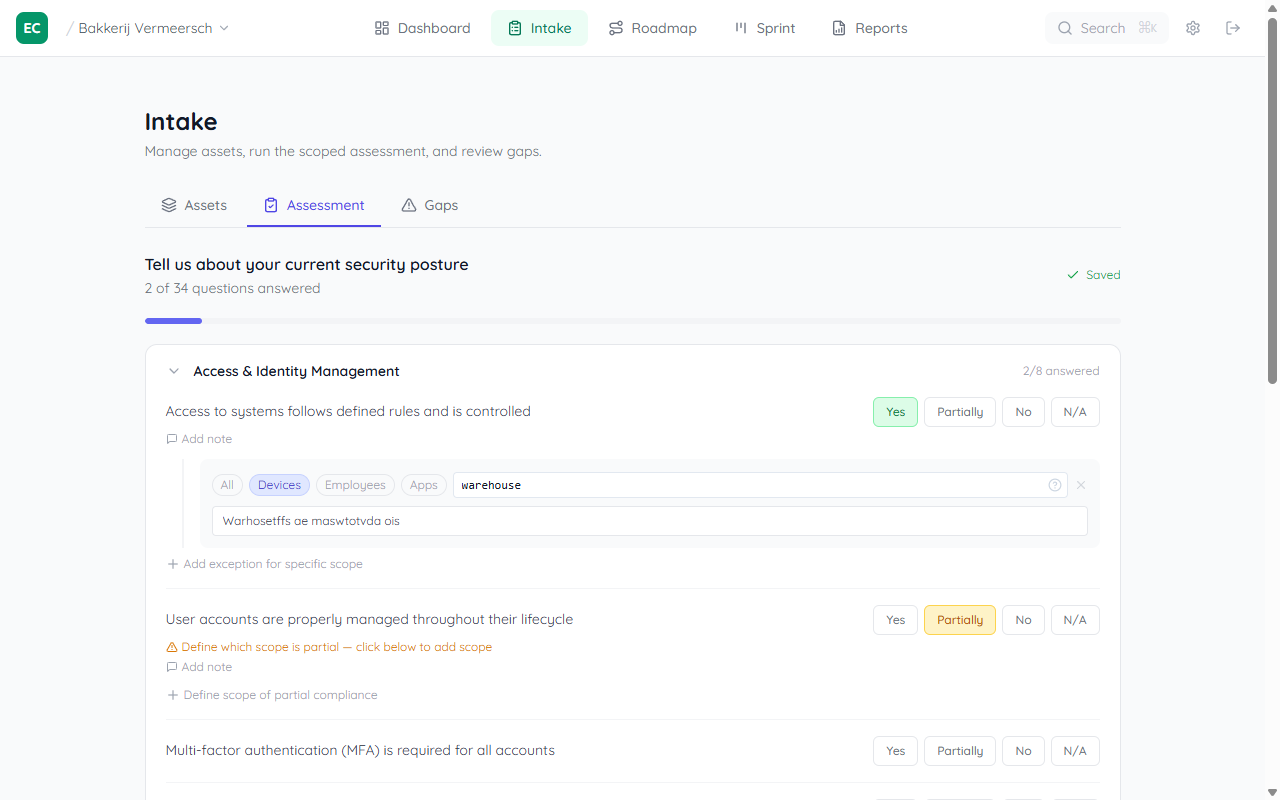
Choosing Partially means part of the organisation complies and part doesn't. The system will show an amber warning if no scope overrides are defined — you need to specify at least one group that is different to make the partial answer meaningful.
Scoped overrides
Use Add scope override to specify a different answer for a specific group or entity. For example, if "Yes" applies org-wide but a specific warehouse group is still "Partially", add an override for that group.
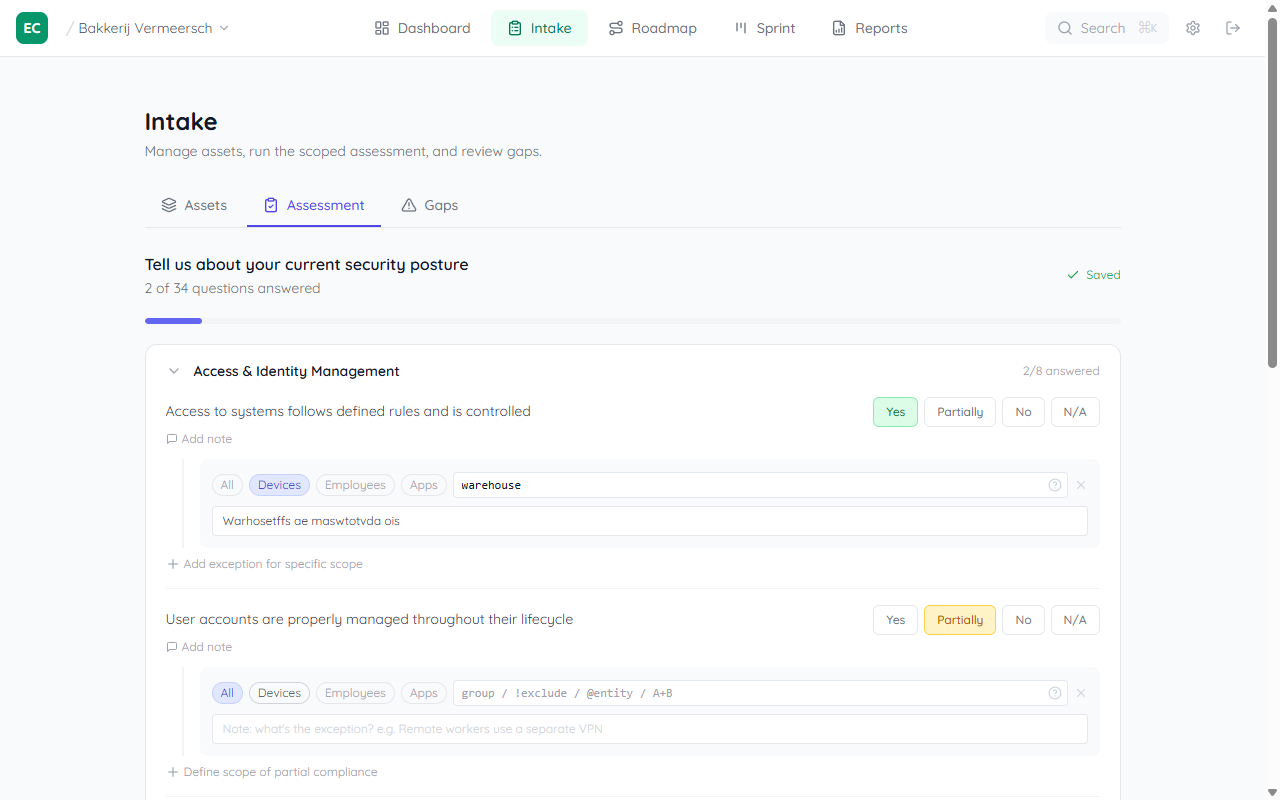
The entity count next to each scope (e.g. 1 employee) shows how many registered entities match that group. If some entities aren't covered, a warning appears at the bottom — add more scope rows until all entities are accounted for.
Adding a note
Any answer — Yes, No, Partially, or N/A — can have a free-text note attached. Click Add note (the chat icon) to document why you answered a certain way. Notes are saved alongside the answer and visible to anyone reviewing the assessment.
Gaps tab
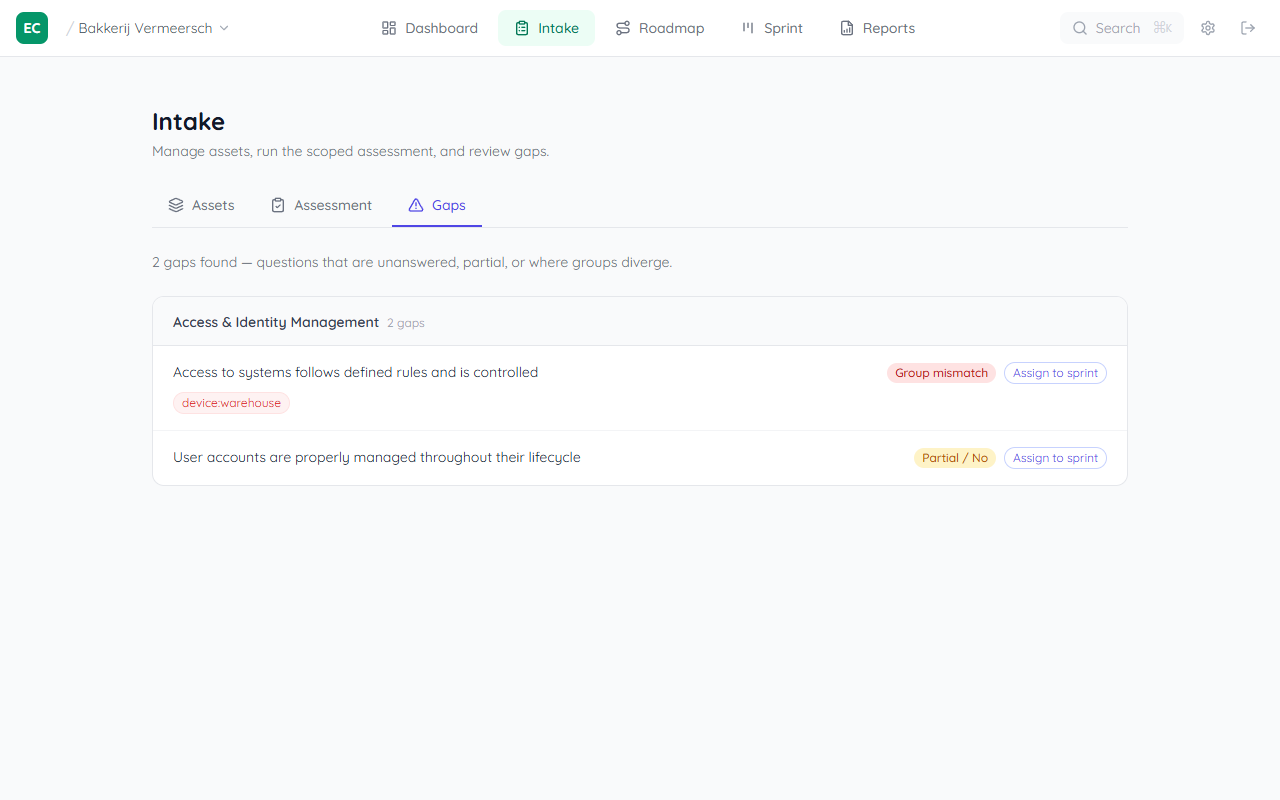
Once the assessment is complete, the Gaps tab surfaces questions that are unanswered, answered with Partial or No, or where group overrides diverge from the org-wide answer. Use this to understand where remediation is most needed.
The Roadmap picks up these gaps and surfaces the most impactful actions first — fixing a gap here directly improves your compliance score.