Connecting Aikido Security
Wire your Aikido workspace into ECP so Application Security (AppSec) findings — code vulnerabilities, leaked secrets, container scans, cloud posture — flow into the CyFun audit-readiness report.
When to use this
Aikido is the right integration if your team ships software — your own product, internal apps, or anything that lives in a code repository. It complements (does not replace) an Endpoint Detection & Response (EDR) tool like Sophos or SentinelOne, which watches the laptops and servers themselves.
A single Aikido sync feeds the audit-readiness report with evidence on:
- Software inventory (repositories under scan)
- Vulnerability identification (Static Application Security Testing, dependency scanning, Infrastructure-as-Code, end-of-life packages)
- Vulnerability prioritisation (severity-scored backlog)
- Container patching state
- Secret detection in code
- Cloud perimeter posture
Coverage applies across CyFun Basic, Important, and Essential tiers automatically — you pick up the extra evidence as your framework progresses.
Generate Aikido API credentials
In your Aikido workspace, go to Settings → Integrations → Aikido API and create a new client credential. You'll get two values:
- Client ID — starts with
AIK_CLIENT_… - Client secret — starts with
AIK_SECRET_…
Read-only scope is enough; ECP only fetches findings, repository metadata, container metadata, and Aikido's own NIS2 self-view. Store the secret somewhere safe — Aikido shows it once.
Connect from the Client tab
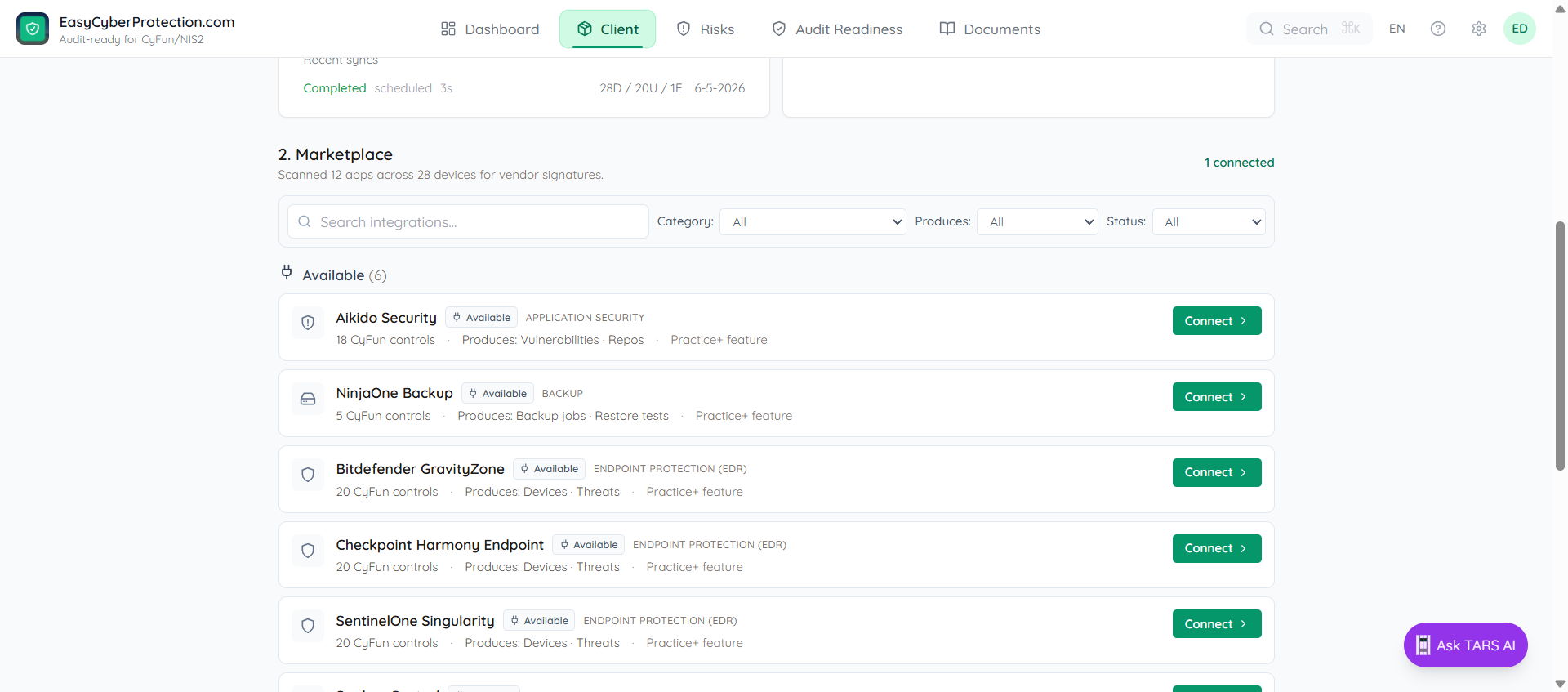
Open Client → Integrations. Aikido Security appears alongside the EDR options under Security tooling integrations. Click Connect.
Paste the Client ID and Client secret from Aikido and click Connect. ECP exchanges the credentials for an access token, calls Aikido's API, and writes the first sync immediately.
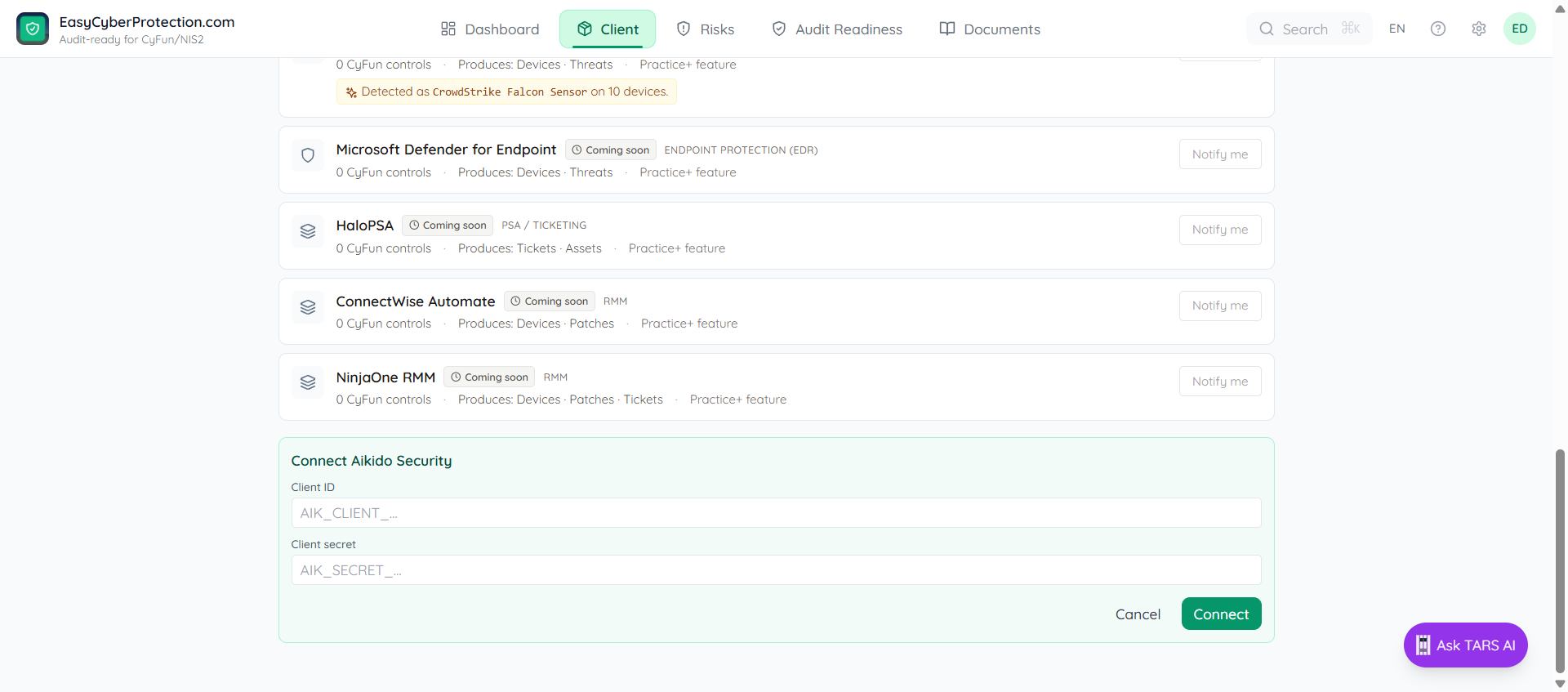
The connect form also shows a short checklist above the fields, mirroring the steps in the section above. You don't need to flip back to this page mid-setup — the same guidance is one click away inside the app.
Verify the sync
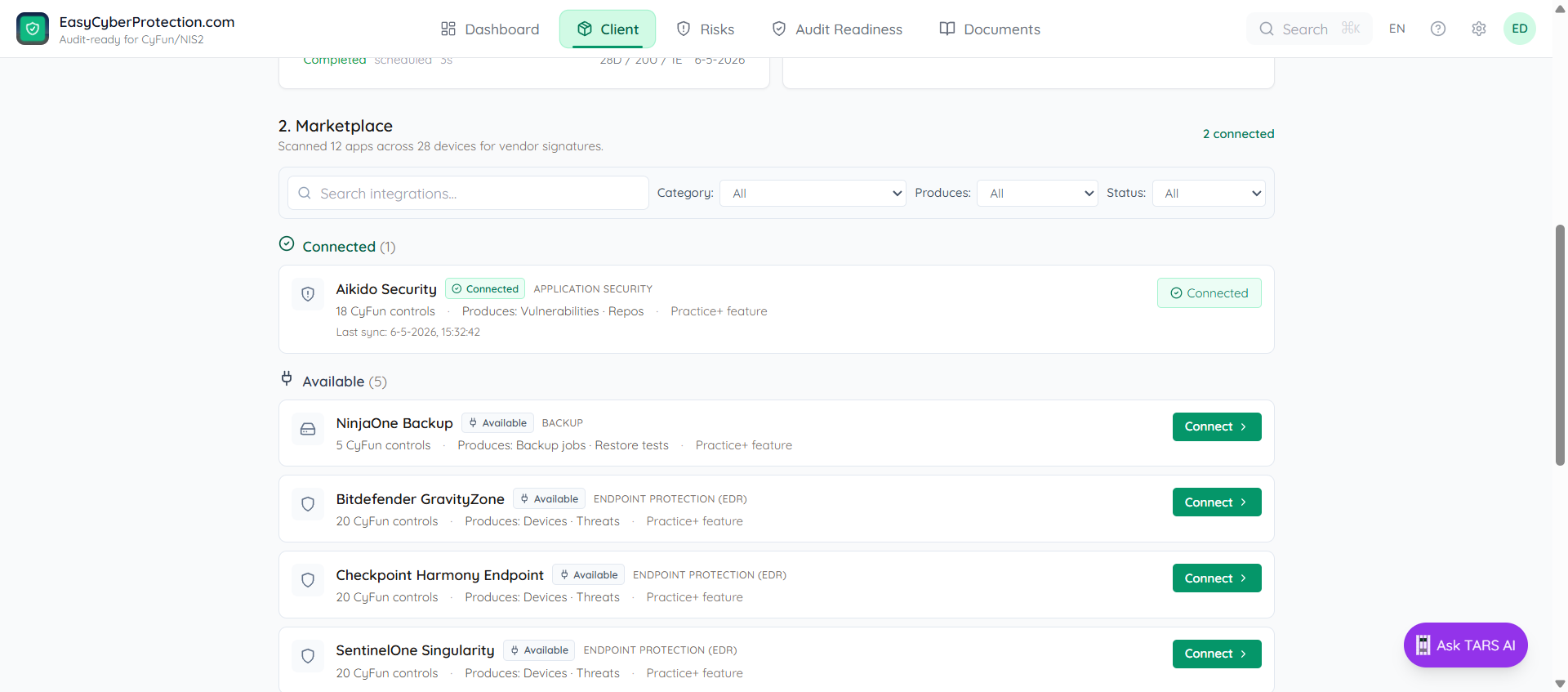
After connecting, the row shows connected with a "Last sync" timestamp. The audit-readiness panel updates within a few seconds — the controls listed above pick up Aikido evidence automatically.
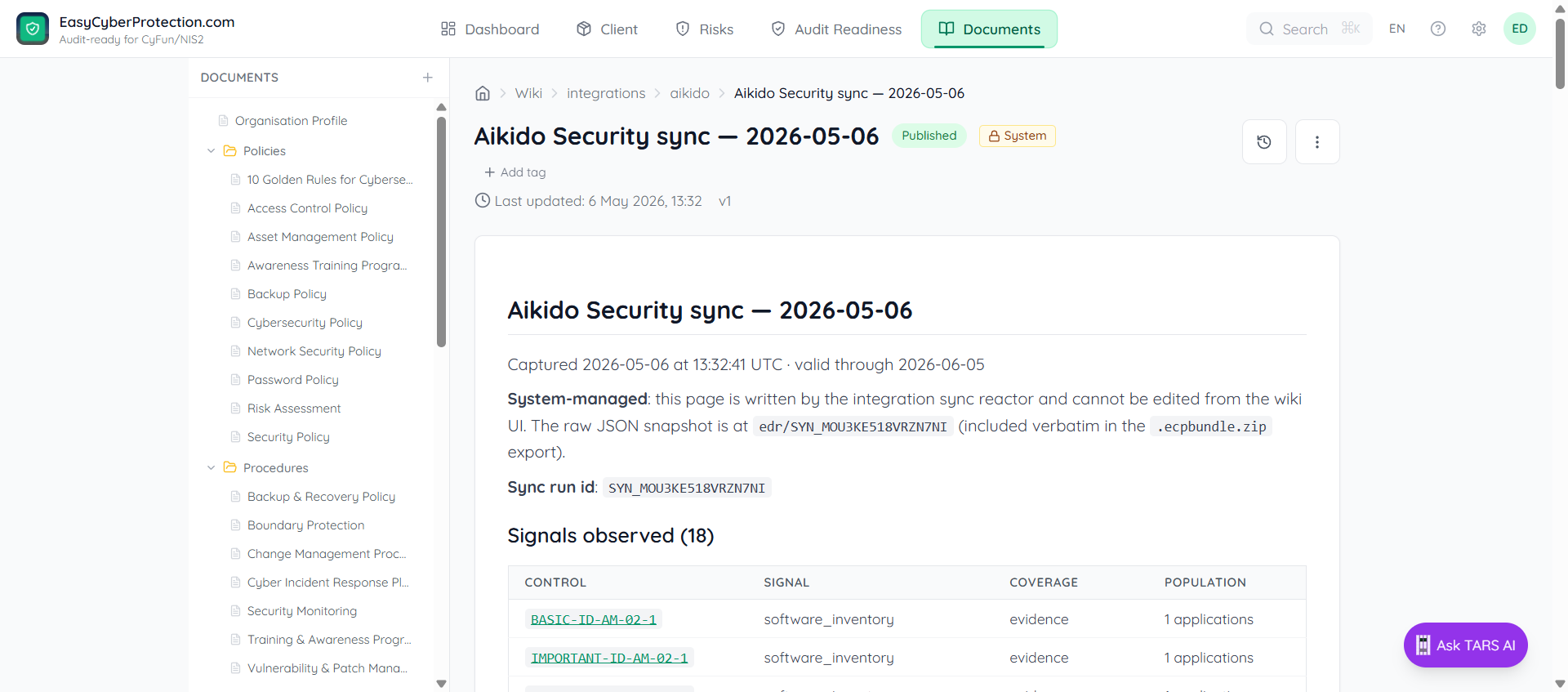
Each sync writes a system-managed wiki page under Documents → Integrations → Aikido. Open the latest one to see Aikido's own NIS2 self-view as reference context.
What ECP does not use
Aikido publishes its own SOC 2, NIS2, and ISO 27001 compliance overviews. ECP does not use those as direct CyFun control evidence — Aikido's mapping is opaque, and Conformity Assessment Body (CAB) auditors will reject "the vendor scanned the repo" as proof of a vulnerability-management programme.
Instead, ECP computes CyFun coverage from Aikido's raw findings and renders Aikido's NIS2 view as reference context on the snapshot page. You get a third-party signal to triangulate against, without it laundering Aikido's judgement into the audit chain.
Refresh cadence
Each sync is timestamped and valid for 30 days as evidence. Re-sync at least monthly — sooner if you've just shipped a major release or the audit window is approaching. The refresh icon next to "connected" runs a sync on demand.