The Client tab
Everything that describes your organisation — integrations, the declared estate, and the asset register — lives here. Risks and Audit Readiness read from this foundation.
Three sub-tabs
- Integrations — Microsoft 365 (Outlook / Teams / SharePoint), your Endpoint Detection & Response tool (Sophos, Bitdefender, or SentinelOne — the antivirus-style agent on each laptop), and Aikido (Application Security scanning, for teams that ship code) auto-stream devices, users, applications, endpoint state, and AppSec findings
- Declared environment — lock down what all means, so Audit Readiness can flag population gaps
- Asset register — one searchable view of every device, employee, and application in scope, with CSV import
Risk assessment and the roadmap live on the dedicated Risks tab; CCB 1–5 maturity scoring is on Audit Readiness.
Integrations
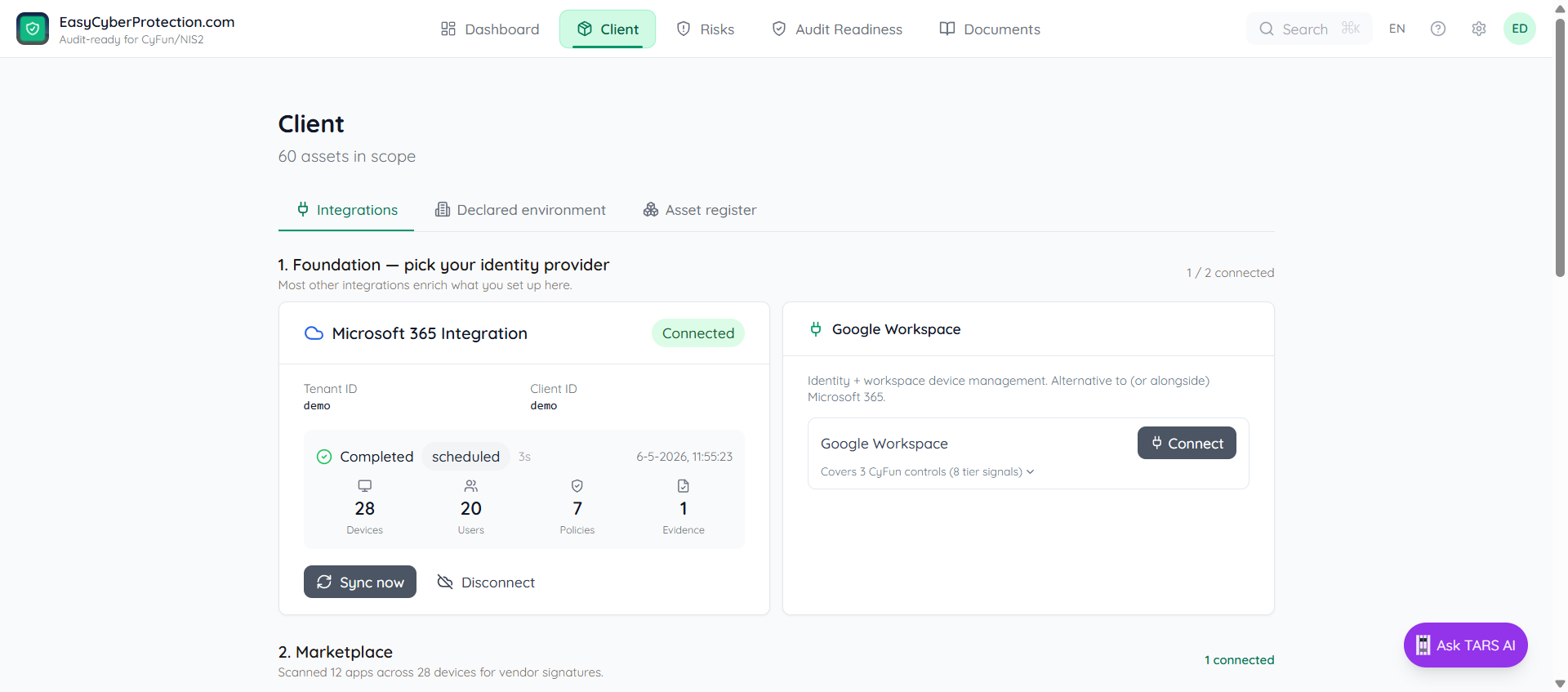
Integrations are the connect-first funnel. One sync per source covers CyFun Small, Basic, Important, and Essential — whichever tier your framework is set to.
Microsoft 365
Connect Intune (Microsoft's device-management service) and Entra ID (Microsoft's user directory) once; Sync now whenever you want fresh data. The card shows live counts for devices, users, policies, and evidence, plus a recent-syncs panel with duration and outcome per run. Clicking log on a failed row opens the error detail.
Each sync also pre-fills evidence and feeds the CCB 1–5 maturity scoring on Audit Readiness.
EDR & endpoint protection
EDR stands for Endpoint Detection and Response — the always-on security agent that runs on each laptop and server. Pick one: Sophos Central, Bitdefender GravityZone, or SentinelOne Singularity. Enter the API credentials from your provider's console; ECP verifies the connection and pulls live counts on the first sync.
Aikido Security (Application Security)
Application Security (AppSec) covers the things EDR can't see: vulnerabilities in your code and dependencies, secrets accidentally committed to a repository, misconfigured cloud settings, and unpatched container images. If your team builds or maintains its own software, connect Aikido Security with the Client ID and Client secret from your Aikido workspace. Each sync feeds Audit Readiness with software inventory, vulnerability findings, and cloud perimeter posture.
Declared environment
An auditor will ask: "is what you show me all of your estate?" The Declared environment sub-tab is where you answer that once, explicitly. Enter the real counts for devices, users, applications, suppliers, workplaces, and networks. Each field shows what the integrations currently see ("App sees 25") next to an input for the declared number.
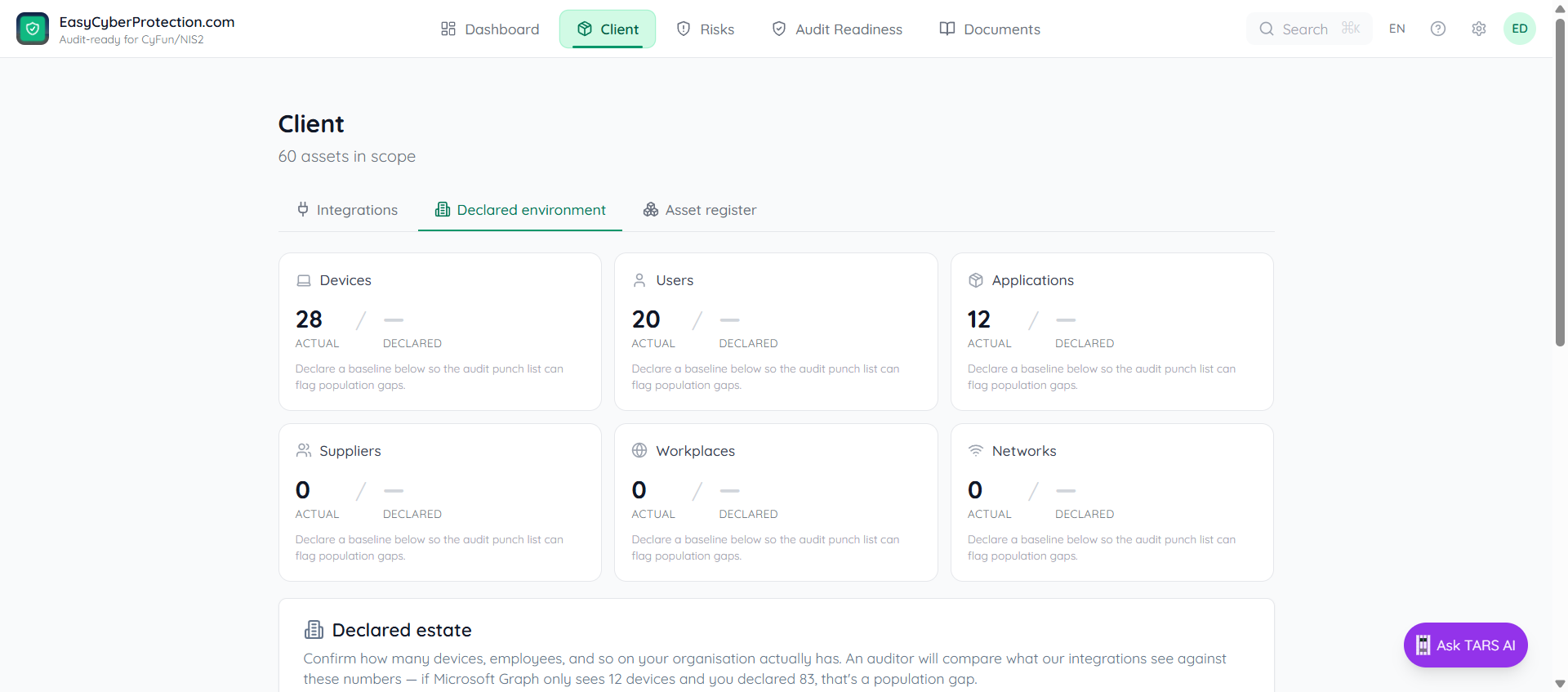
If Microsoft 365 only sees 12 devices and you declare 83, Audit Readiness flags the difference as a population gap on every affected control.
Asset register
One searchable list of every device, employee, and application in scope. Filter by type with the chips (All / Device / Employee / Application), or search with type:employee group:servers-style filters. Toggle between a compact list and a grid layout.
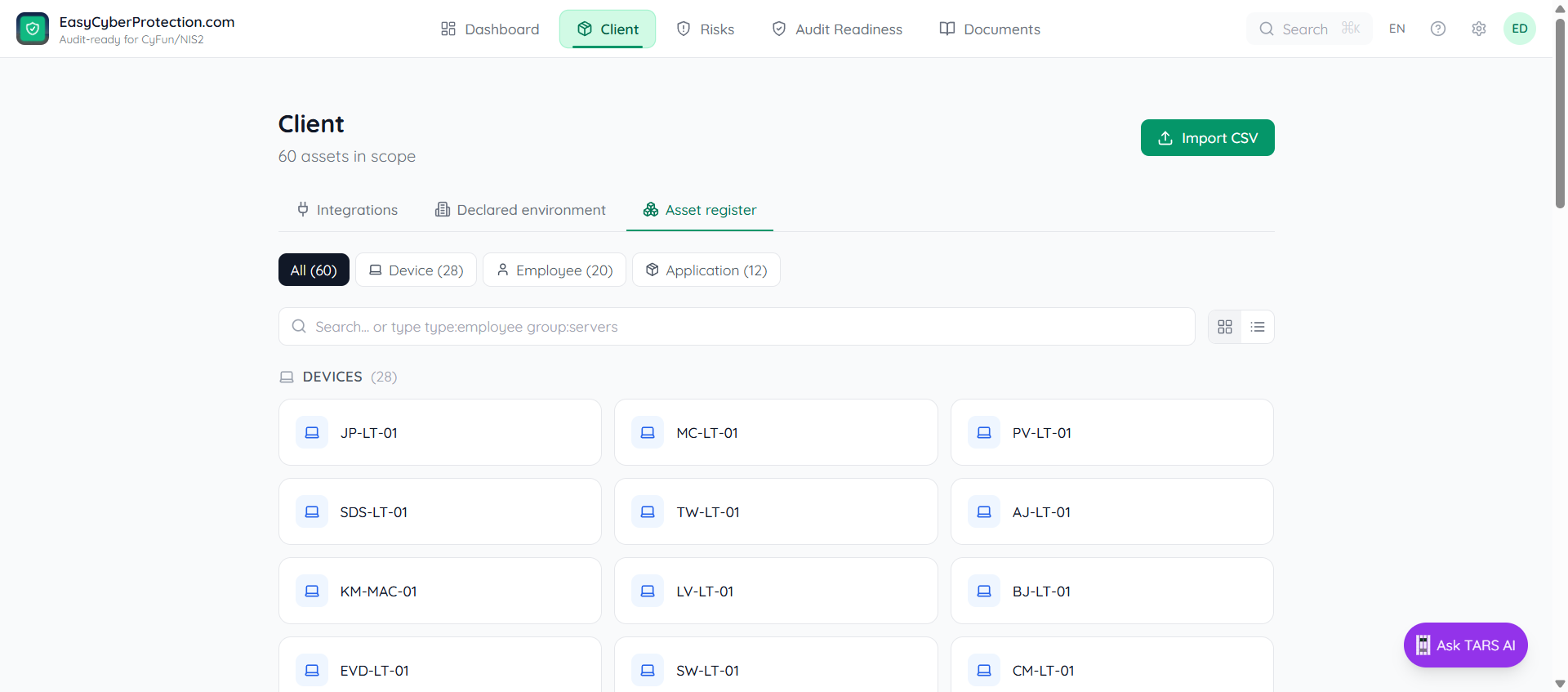
Click Import CSV to add entities in bulk. The AI-assisted importer auto-detects column types and entity kind (device vs. employee vs. application) from the header row — NL/FR/EN are all supported. See Importing devices and employees for the full guide.