TARS: Your AI Compliance Assistant
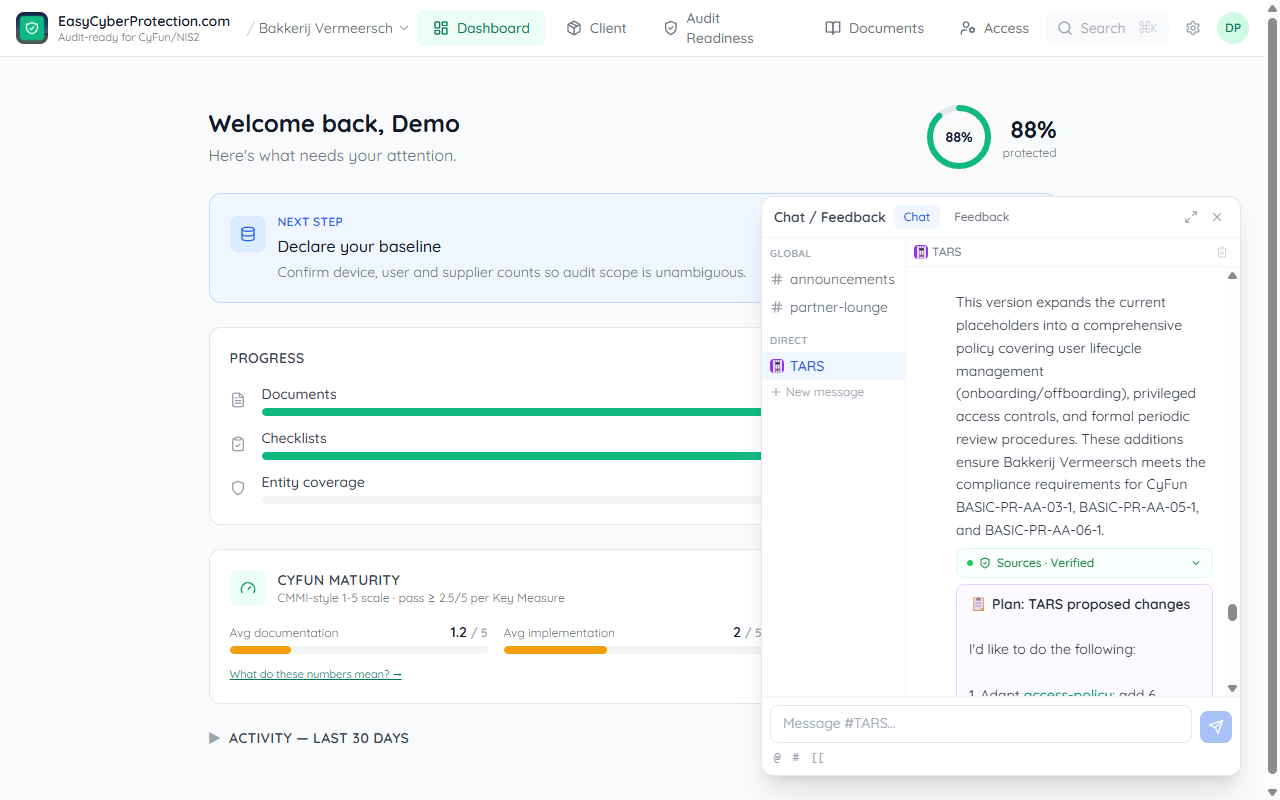
TARS is an AI assistant built into the chat system. Named after the robot from Interstellar, TARS is practical, direct, and occasionally witty. It knows your compliance framework, can search your knowledge base, and can propose changes for your approval.
What TARS can do
- Answer questions — compliance status, CyFun framework concepts, control requirements, next steps
- Search your wiki — find policies, procedures, and controls by topic, not just exact title match
- Explain gaps — show which controls have missing evidence and what to do about them
- Propose changes — suggest edits to wiki pages, with approve/reject before anything changes
Getting started
TARS automatically creates a direct message (DM) channel with you when you first open the chat widget. You'll see a welcome message explaining what TARS can do.
Open the chat widget (bottom-right corner of the screen) and look for TARS in your direct messages. TARS has a purple avatar to distinguish it from human team members.
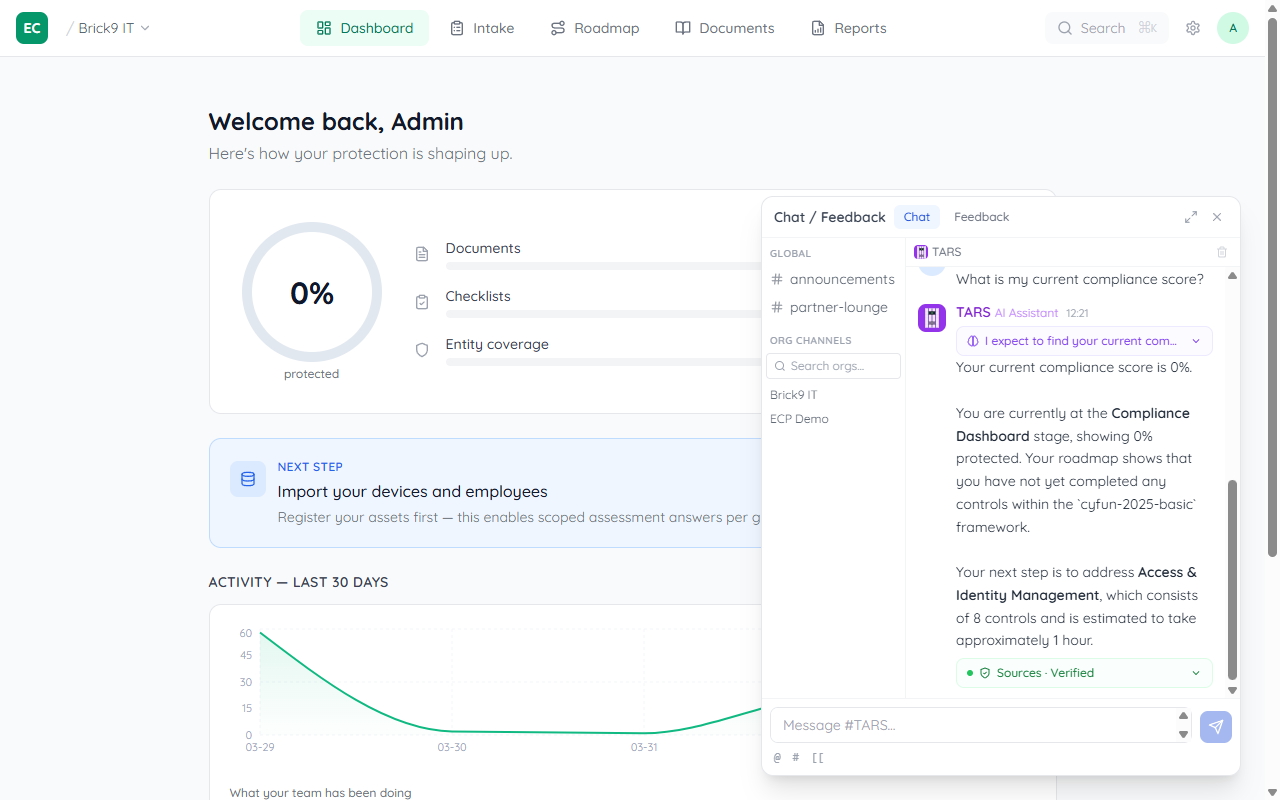
@TARS followed by your question, and TARS will respond right there in the channel — no need to switch to the DM.
Asking questions
Just type naturally. TARS understands questions about your organisation's compliance status, CyFun framework, and the content in your wiki. Some examples:
What's my compliance status? — TARS checks your evidence completion percentage and top gapsWhat does PR-AC-01 require? — TARS looks up the control details and explains what evidence you needDo we have a backup policy? — TARS searches your wiki and returns matching pagesWhat should I work on next? — TARS identifies your biggest gaps and suggests prioritiesExplain NIS2 in simple terms — TARS explains compliance concepts without jargonTARS responds in the same language you write in — Dutch, French, or English.
Wiki page links
When TARS references a wiki page, it uses [[page-slug]] format. These render as clickable links in the chat — click to jump directly to the page in the Documents tab.
Plans: approve before TARS acts
When you ask TARS to change something (update a wiki page, add content), it doesn't act immediately. Instead, TARS creates a plan — a proposal showing exactly what it wants to do.
Plans appear as purple cards in the chat with two buttons:
✓ Approve
TARS executes the plan and posts a confirmation when done.
✕ Reject
Nothing changes. TARS acknowledges and you can refine your request.
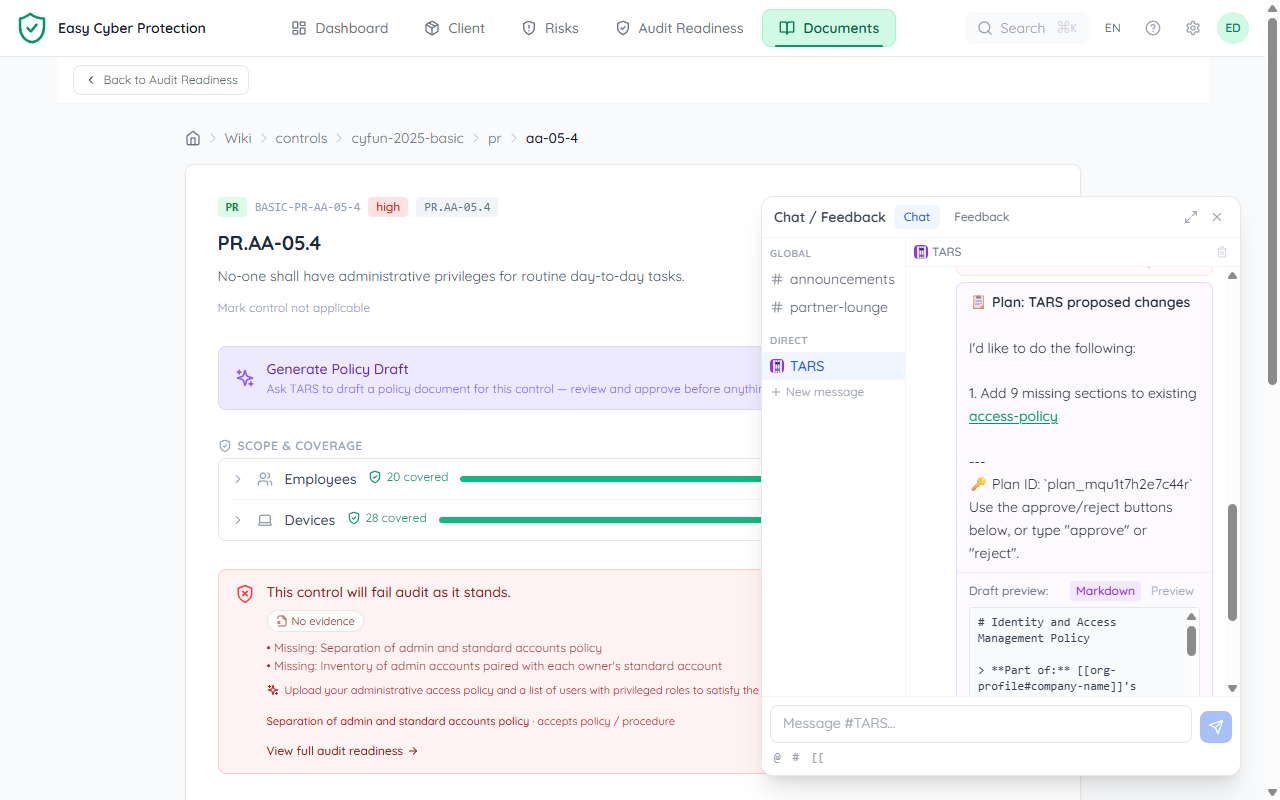
TARS picks the best-fitting existing document for a change — if you already have a policy that covers the topic, it extends that one (adding only the missing sections) instead of creating a near-duplicate. The plan always names the target page so you can see where the change lands.
Improving documents with TARS
On any wiki page, open the ⋯ More options menu (top right) and choose Improve with TARS. TARS loads a pre-built prompt — smart enough to know the page context:
- Policy pages — TARS reviews the document for gaps, weak language, and missing CyFun control links
- Report pages — TARS analyses your compliance score and drafts an executive narrative with improvement priorities
- Control pages — a Generate Policy Draft card drafts the policy that satisfies this control. TARS routes the draft into the best-fitting existing policy (extending it) and shows you the target before saving
The TARS chat opens automatically with the prompt pre-filled — review it and send to start the conversation.
Using @TARS in channels
In any chat channel, type @TARS to get TARS's attention. The mention autocomplete will suggest TARS at the top of the list. TARS responds in the same channel, so your whole team can see the answer.
This is useful for quick questions during team discussions — no need to switch to the DM.
Audit trail
Every action TARS takes is logged. Plans record who approved them, when they were executed, and what changed. This audit trail is part of your compliance record — you can always trace what TARS did and who authorised it.
What TARS knows
TARS has access to:
- Your organisation's CyFun framework (controls, evidence requirements, assessment scores)
- Your wiki pages (policies, procedures, plans — found with hybrid semantic search, so you can describe what you need in your own words instead of guessing the exact title)
- Your compliance status (evidence completion percentage, top gaps)
- CyFun framework knowledge (what each tier means, how controls map to NIS2)
TARS does not have access to other organisations' data. Everything is scoped to your organisation.